

Overview
Company: St. Luke’s University Health Network (SLUHN)
Role: UX/UI Designer, UX Engineer
Impact: Increased stakeholder enthusiasm and adoption
The previous digital platforms were long overdue for an update. To address this, we created the organization’s first-ever design system, establishing a unified visual language and scalable components for both web and mobile experiences. The system ensured brand consistency, improved accessibility, and laid the groundwork for future digital initiatives.
This project marked a foundational shift toward a more cohesive and user-centered digital presence.
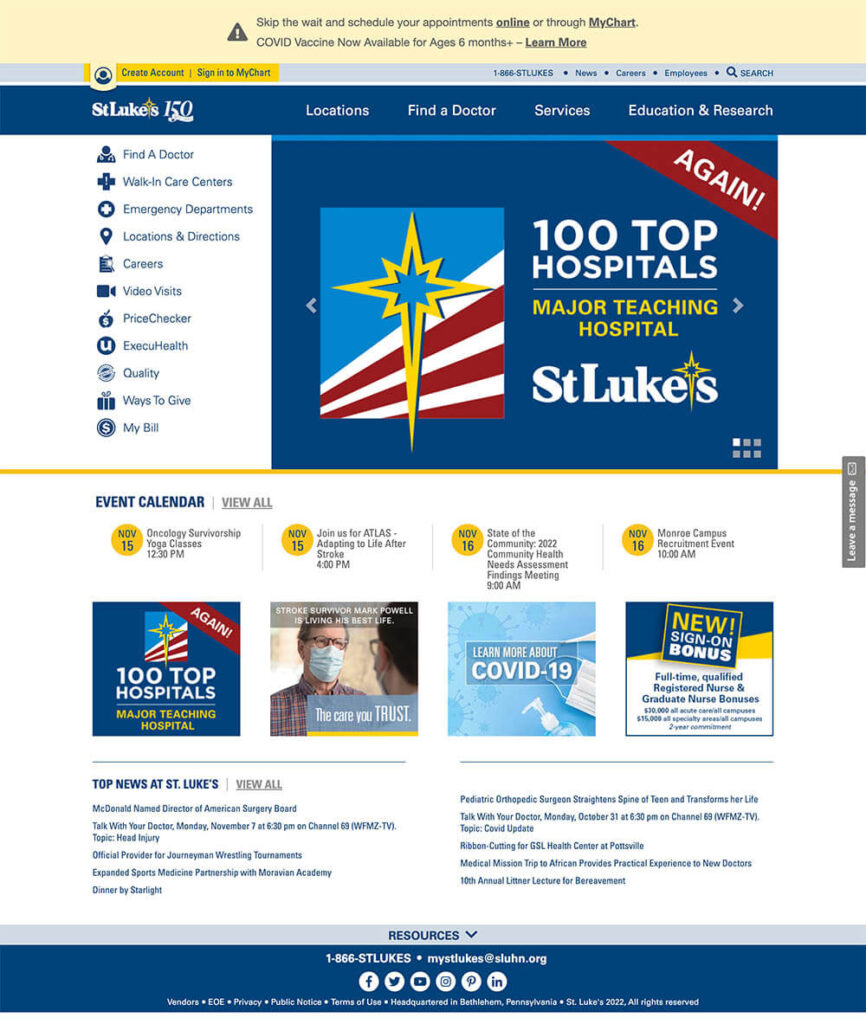
Our goal: Establish a scalable, accessible, and brand-aligned design foundation to modernize and unify the organization’s digital experience across web and mobile platforms.
The problem
The primary audience for this project included key stakeholders such as the Senior Director of Corporate Communications, Senior Director of Marketing, and Director of Digital Development.
Key Issues Identified:
- The organization had a growing backlog of digital initiatives but lacked a formal roadmap.
- Additionally, we (a newly hired UX team) identified that no design system existed. We needed to create a system that would streamline development, support consistency, and deliver a cohesive brand experience across all digital channels.
My role
I was a UX Designer and Engineer, responsible for both design and front-end strategy.
I also conducted lean UX research and served as the main point of contact between our internal UX team and a third-party engineering vendor. I worked closely with another UX Designer and a Product Manager.
We also engaged regularly with Marketing, IT, and Engineering teams.
Discovery
We started with a series of individual and group stakeholder interviews to understand organizational priorities, challenges, and user behaviors.
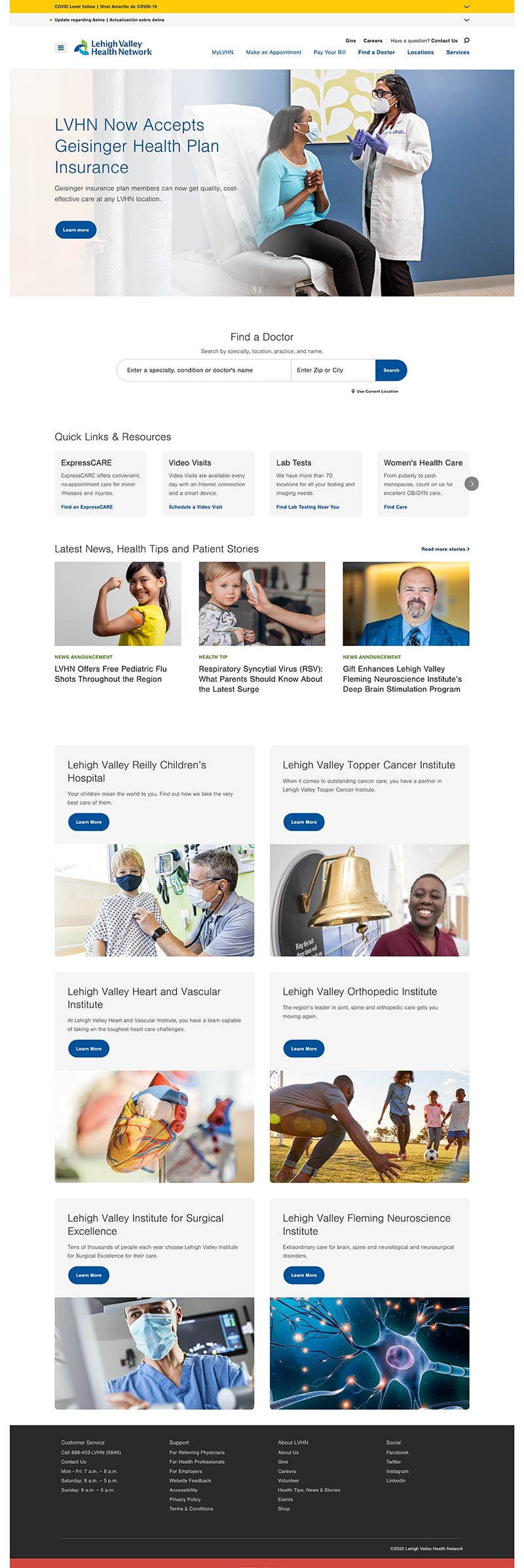
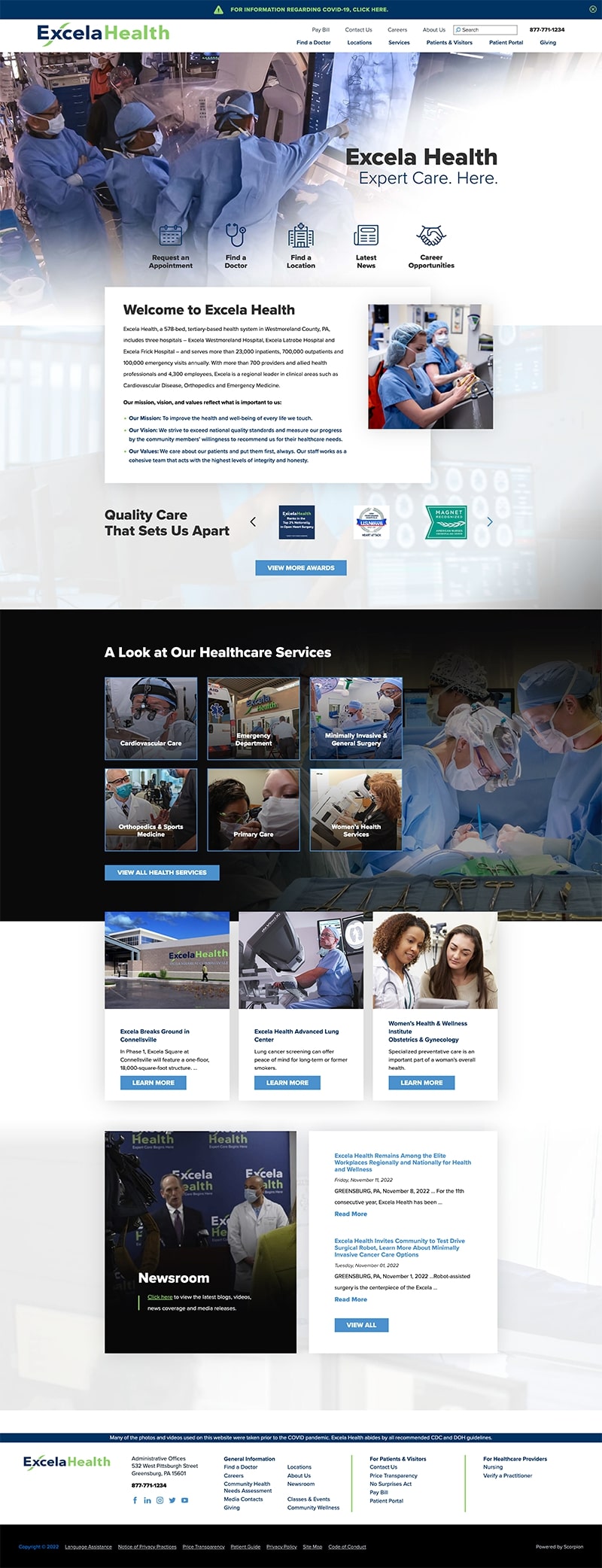
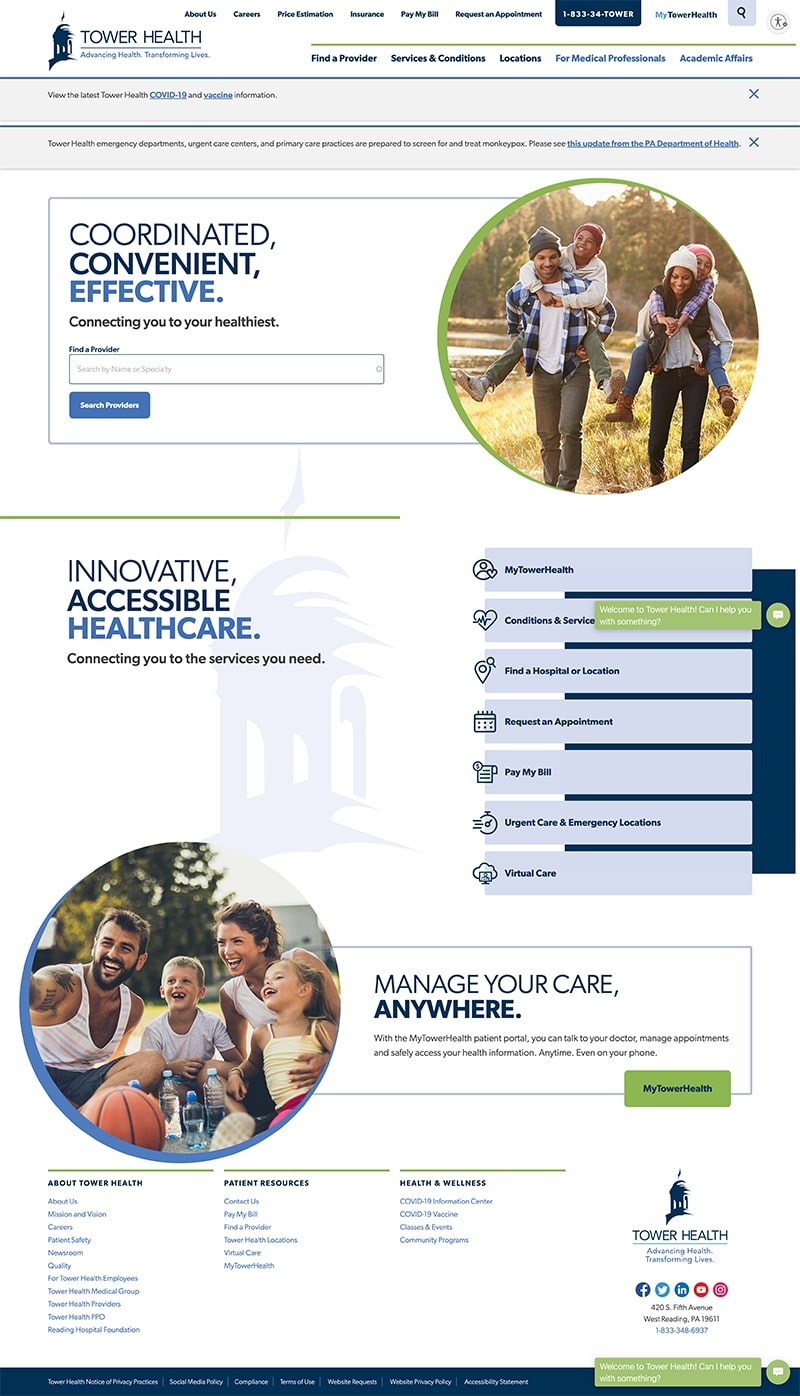
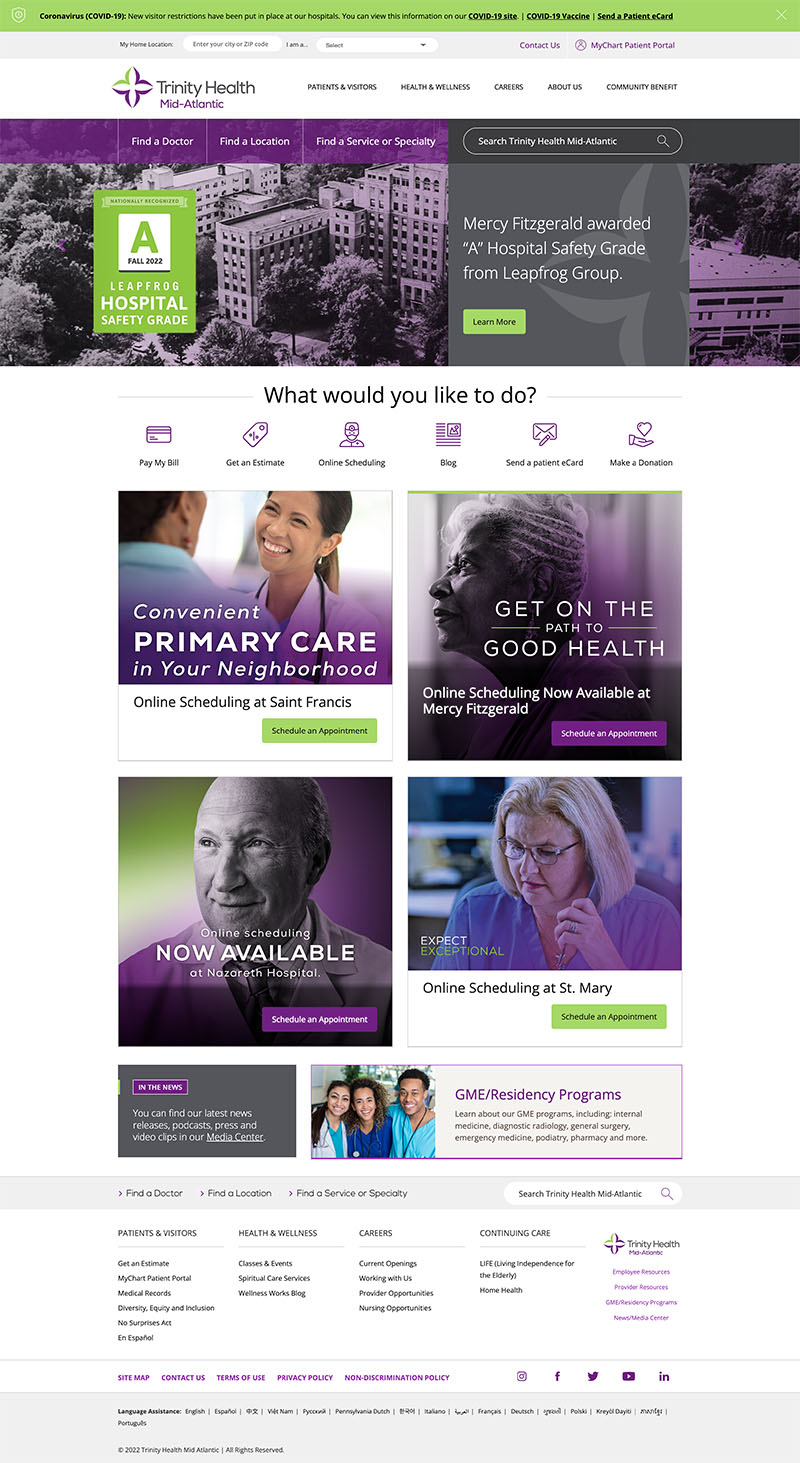
We then conducted a competitive analysis of hospital systems in the tri-state area. Patterns included frequent use of blue (a common healthcare color), focus on legibility, and relatable brand imagery.
This work helped shape our visual and structural direction.
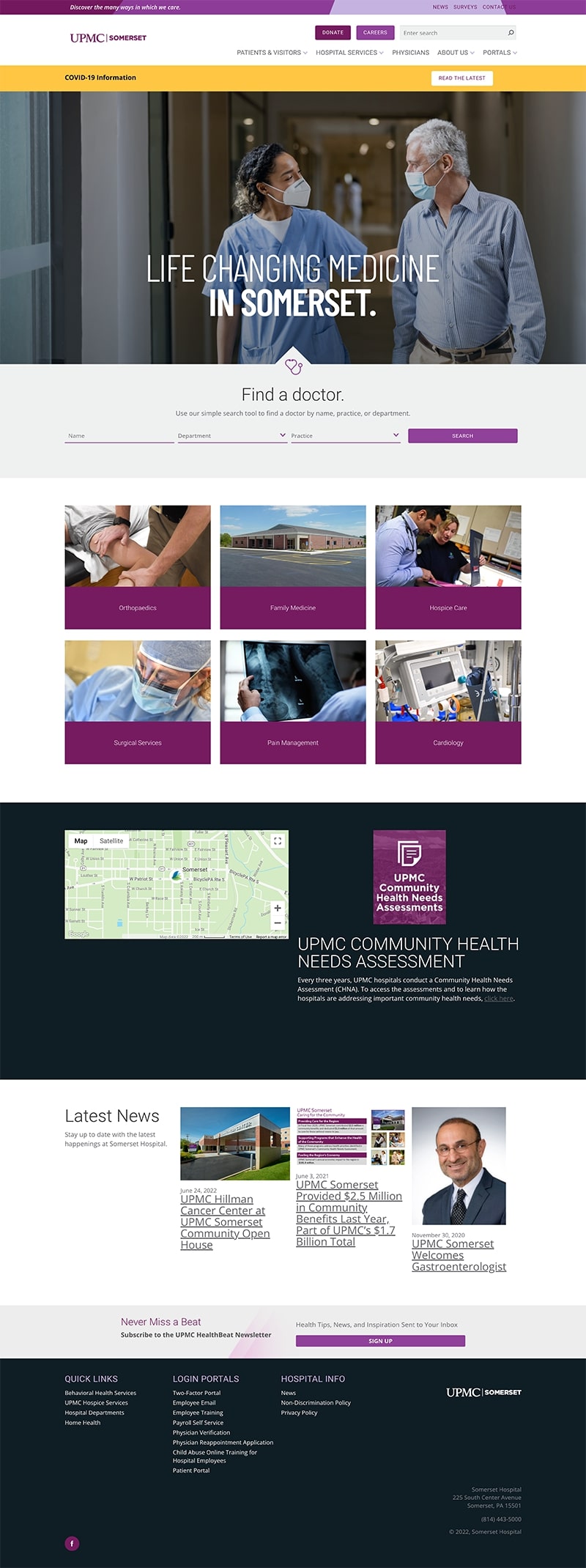
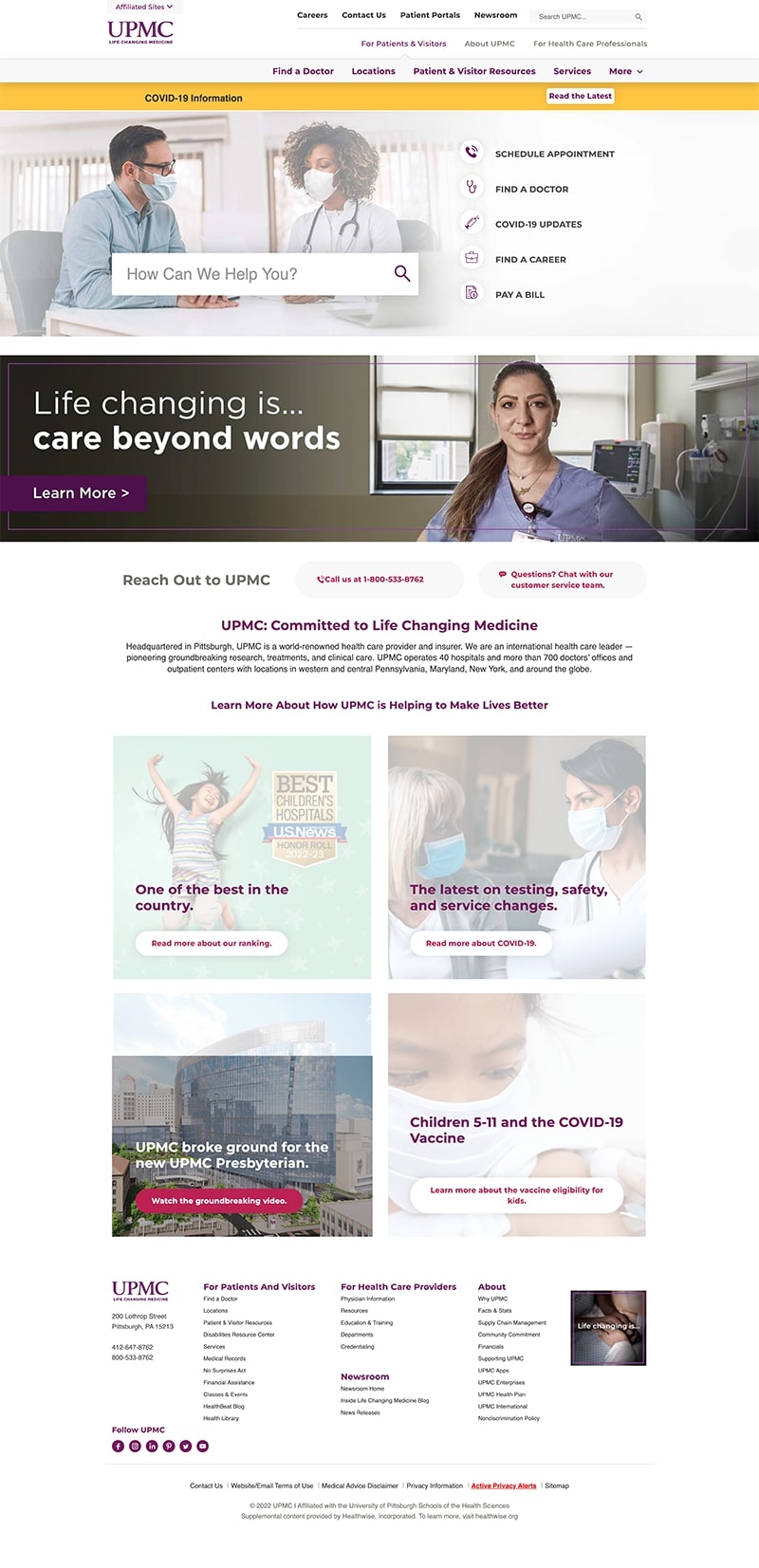
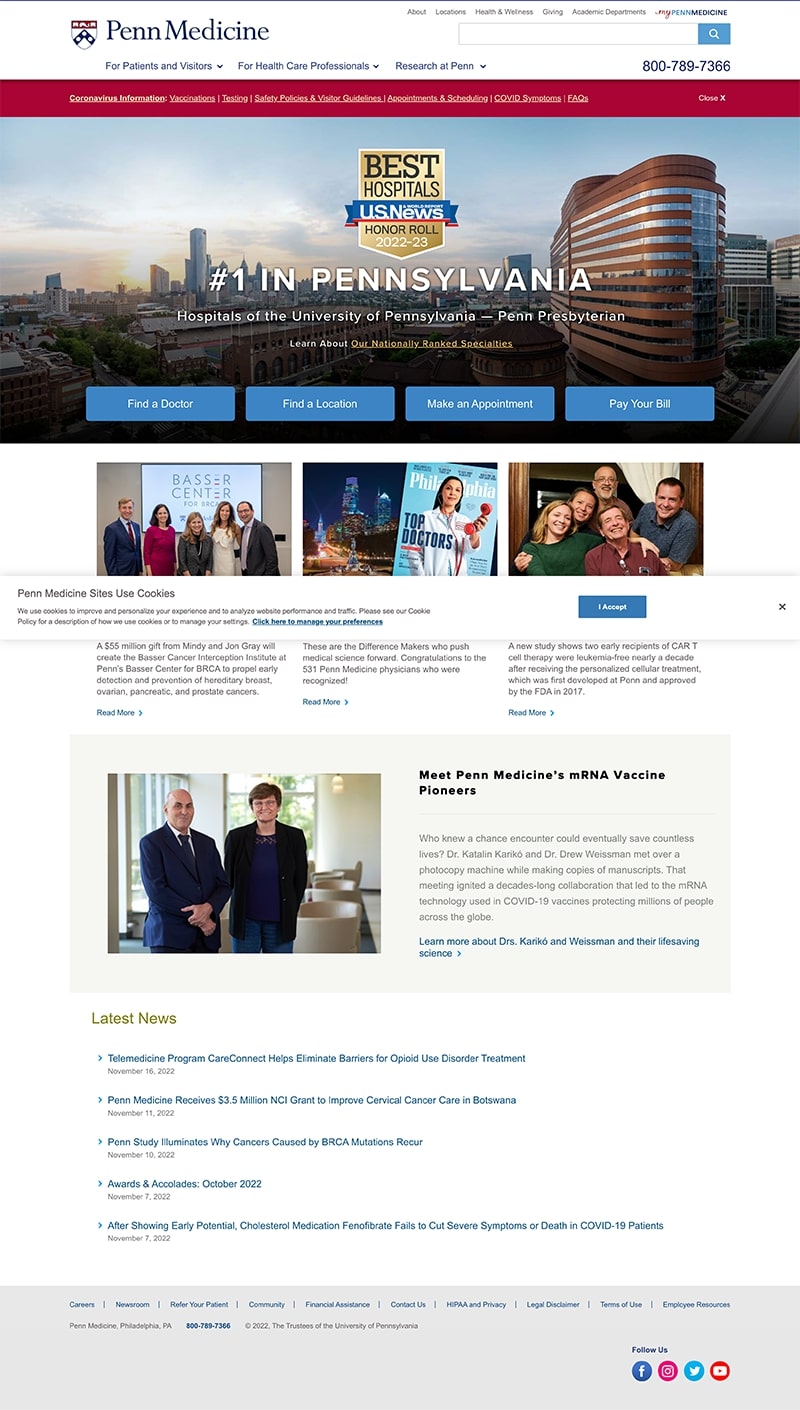
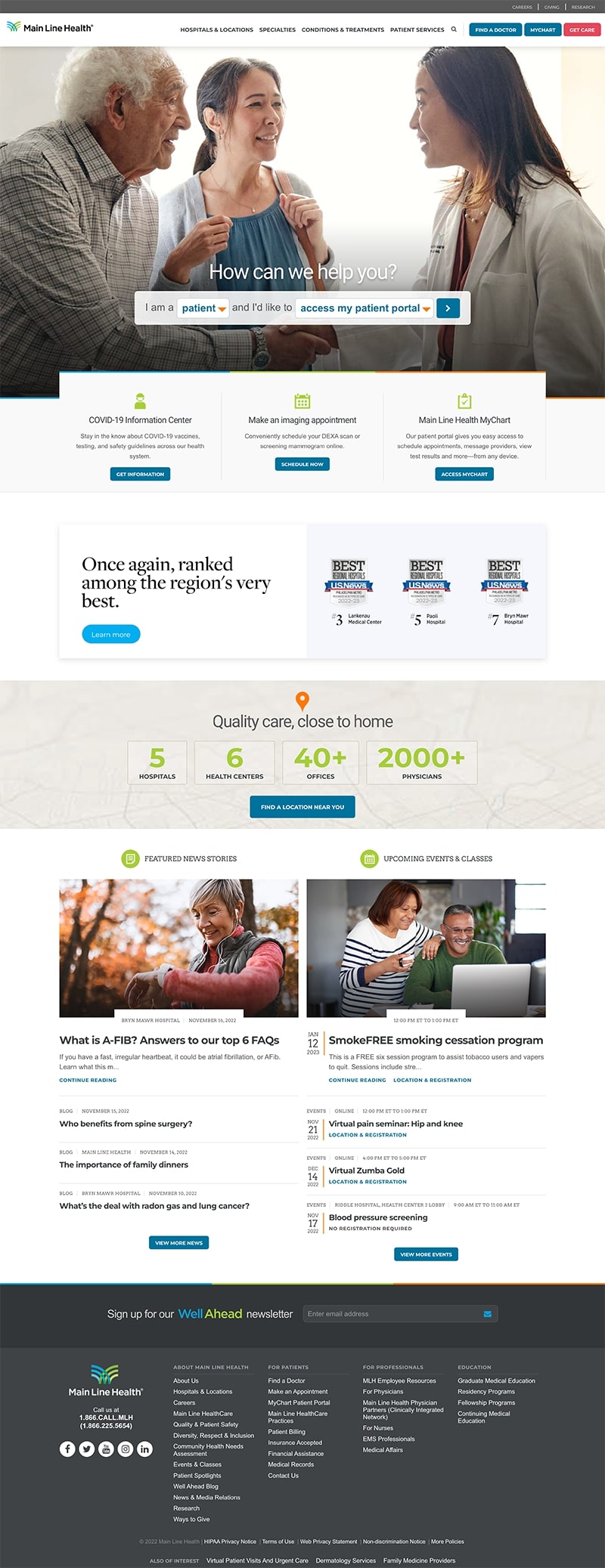
Plus 40+ more
The competitive analysis drew insights from approximately 40 reference websites, providing a broad view of industry standards and design patterns.
Definition
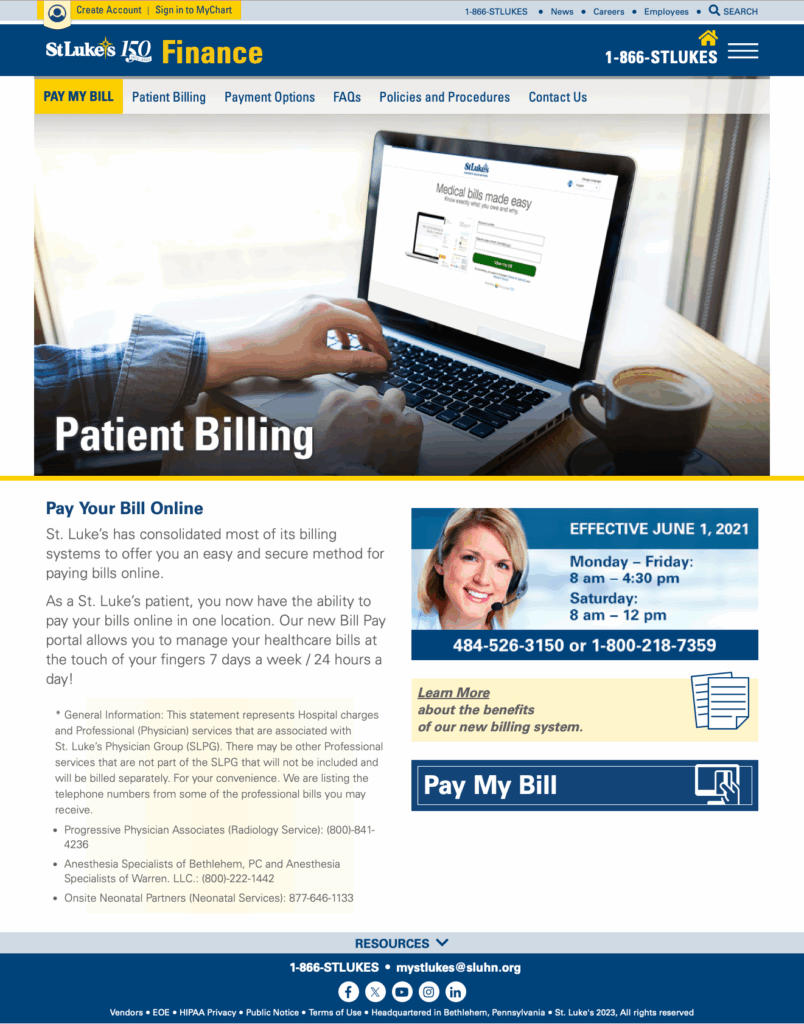
We surveyed a small group of users post-website task completion. Many reported visiting the site for bill payment, which contradicted some stakeholder assumptions. Stakeholders had expected users were primarily browsing departments (referred to as “Service Lines”).
We also pulled analytics from the SEO team. Top pages included “My Bill,” “Careers,” and “Pediatrics.” This confirmed the importance of those sections.
The Find a Doctor tool and site search were already high-use features, so we planned to modernize those.
Based on this, we prioritized high-traffic areas and began roadmap planning for the most impactful content sections.
Ideation
We collaborated with the small in-house development team (housed in IT) who had no brand or UX designers on staff. The site ran on Sitecore (ASP.NET). We reviewed the existing style guide and made several key decisions:
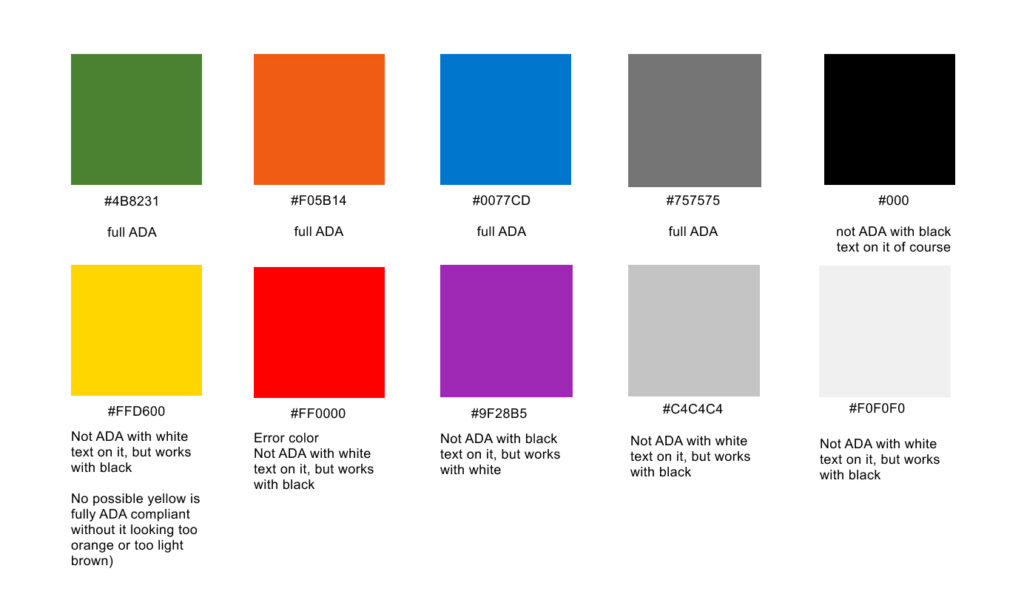
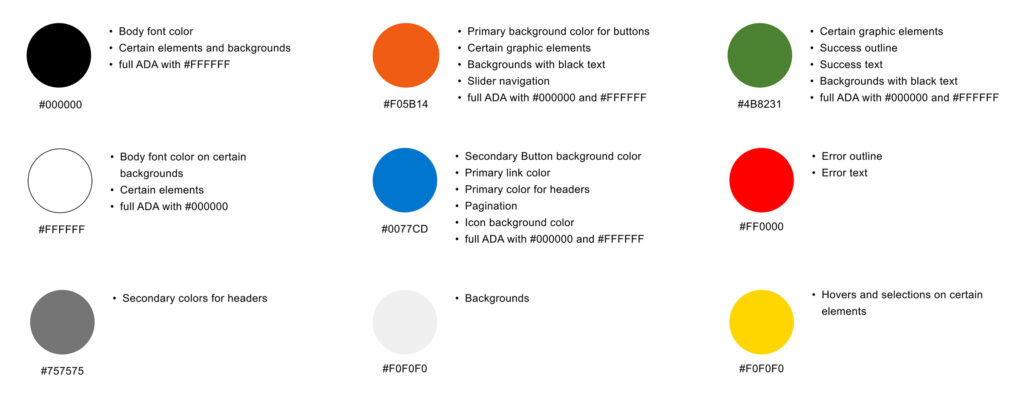
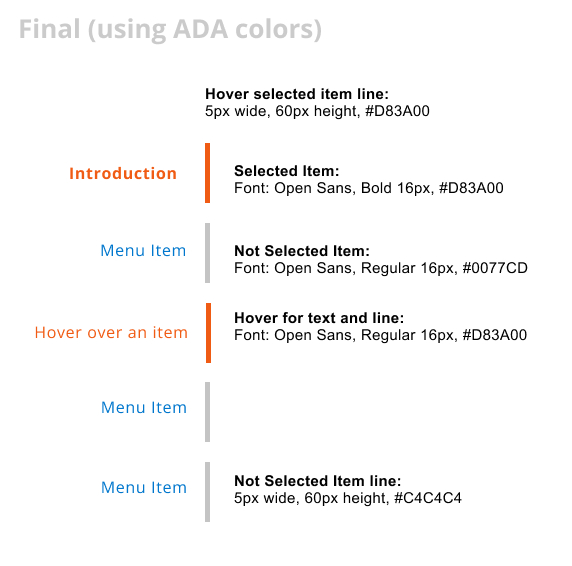
ADA-compliant color palette
We referenced the print-focused Brand Guidelines from Marketing and adapted them for digital, testing multiple variations before final approval.
Typography
Stakeholders were unhappy with the existing font and approved use of a Google Font. We selected Open Sans, which aligned visually with the brand’s tone. We then defined heading and body font styles for responsive design. The selection of the Open Sans font family guided the creation of the H1-H6 structure for primary and secondary color headers in responsive design, as well as the determination of the body font and its size.
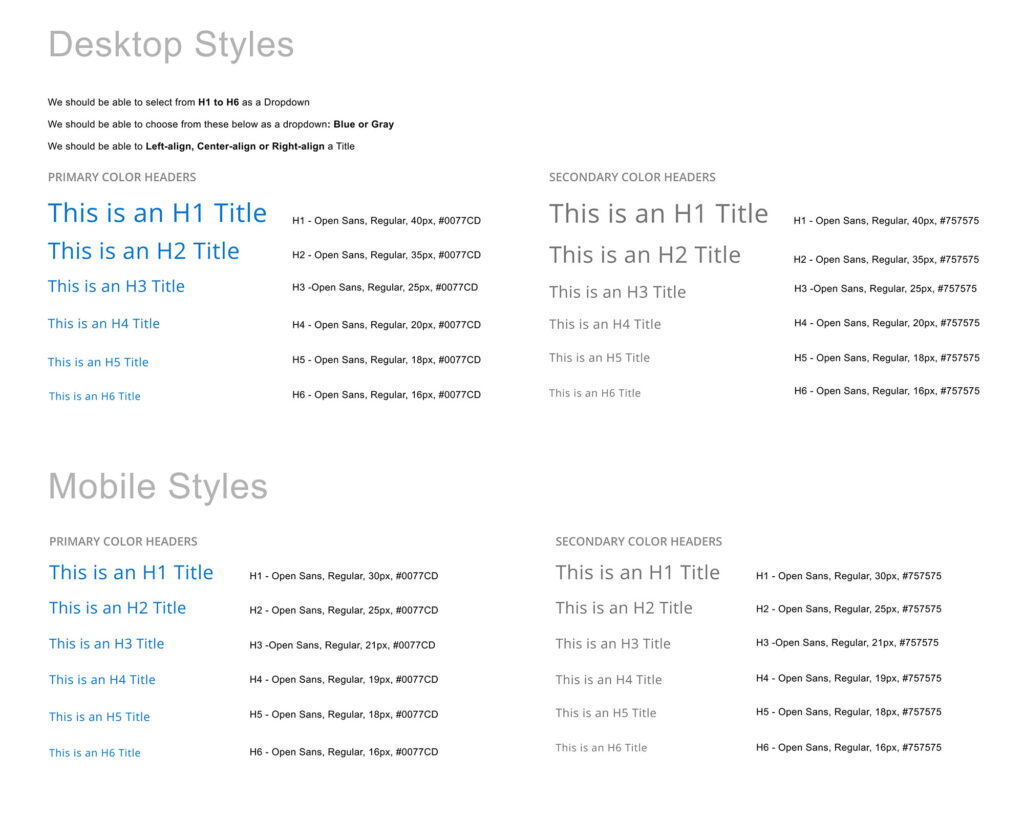
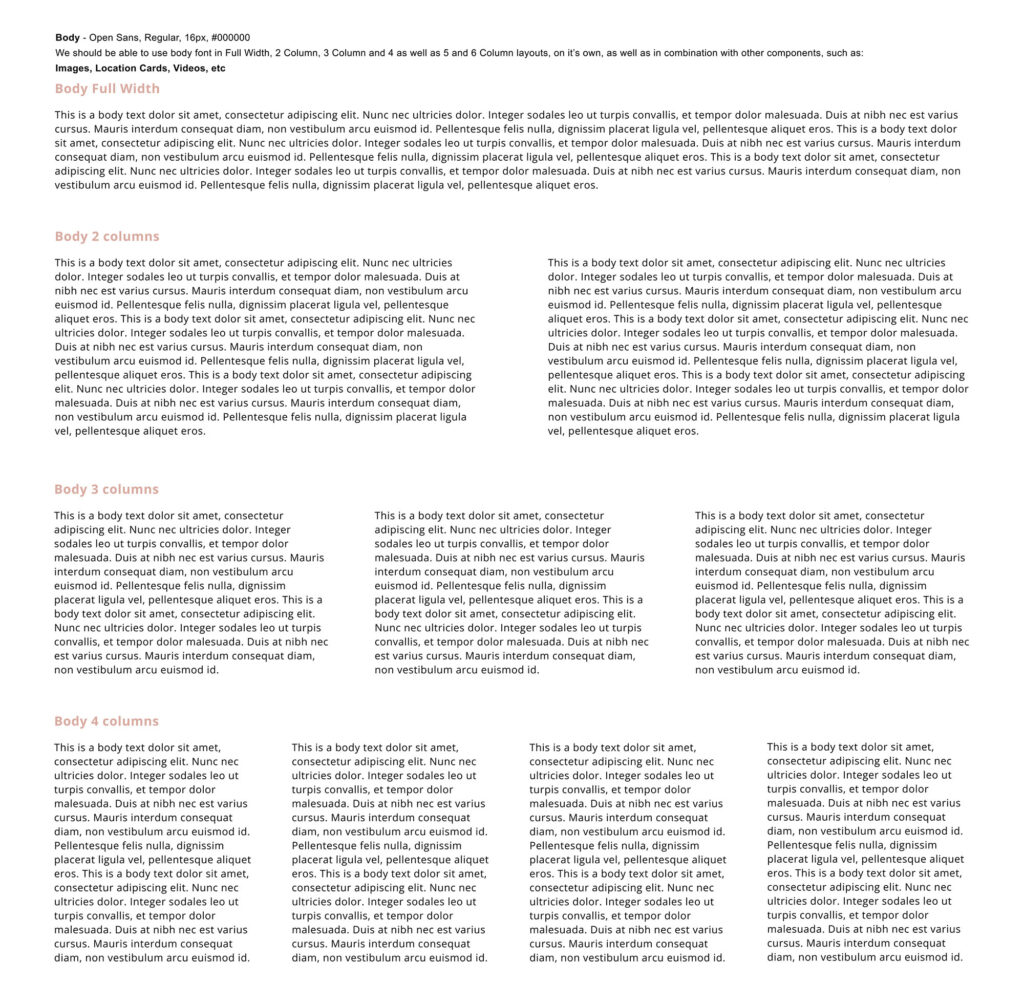
Interface elements & wireframing
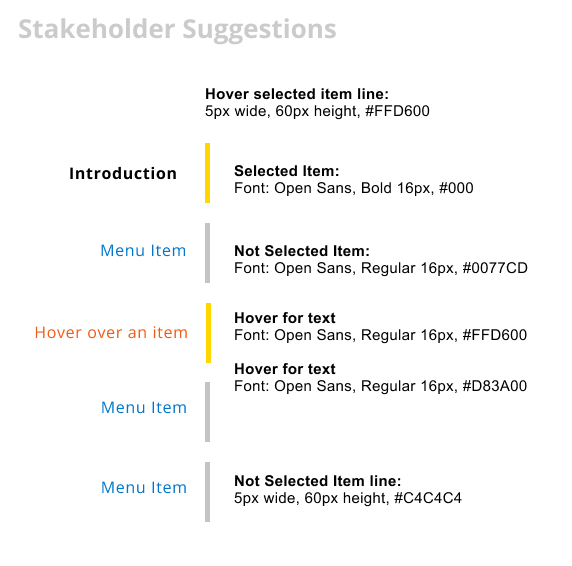
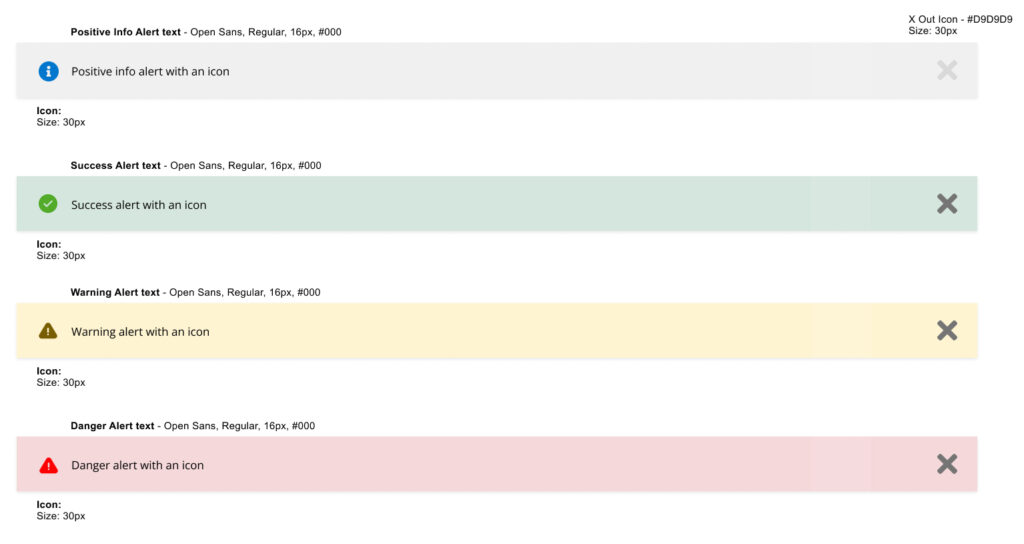
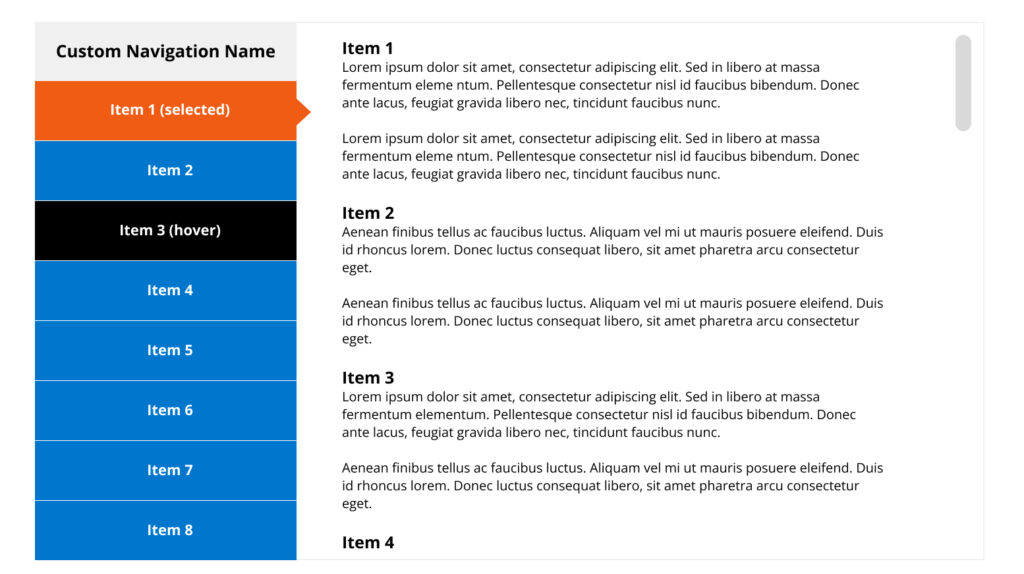
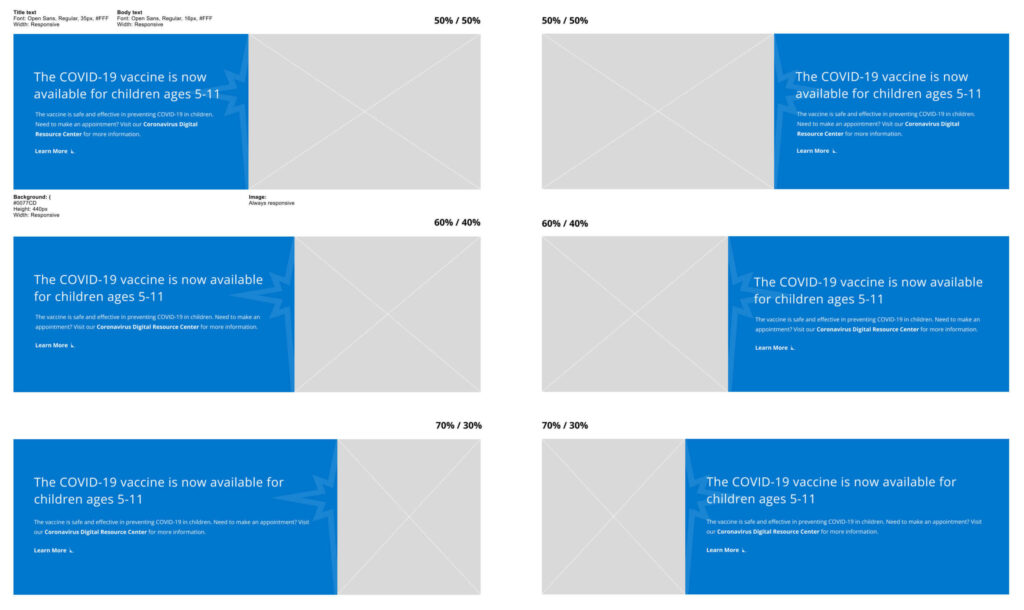
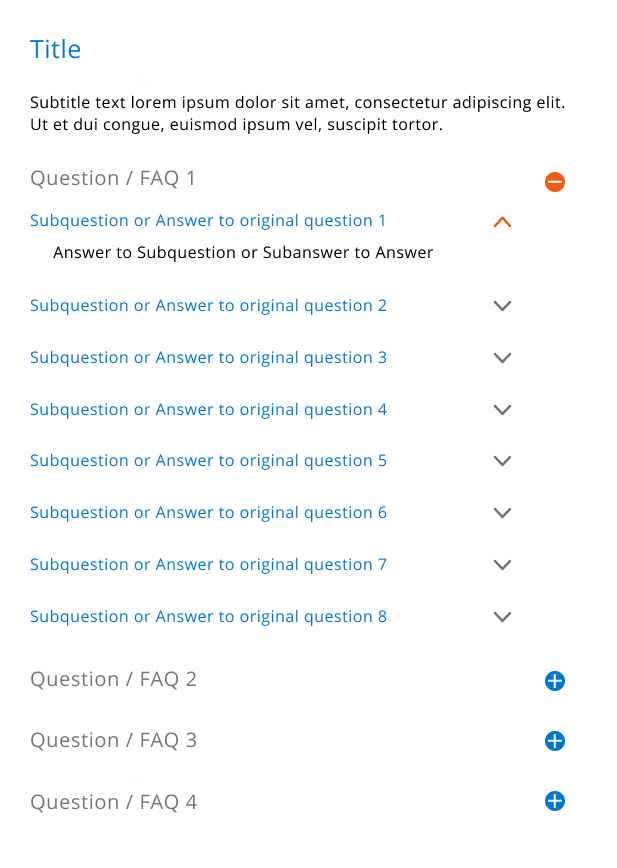
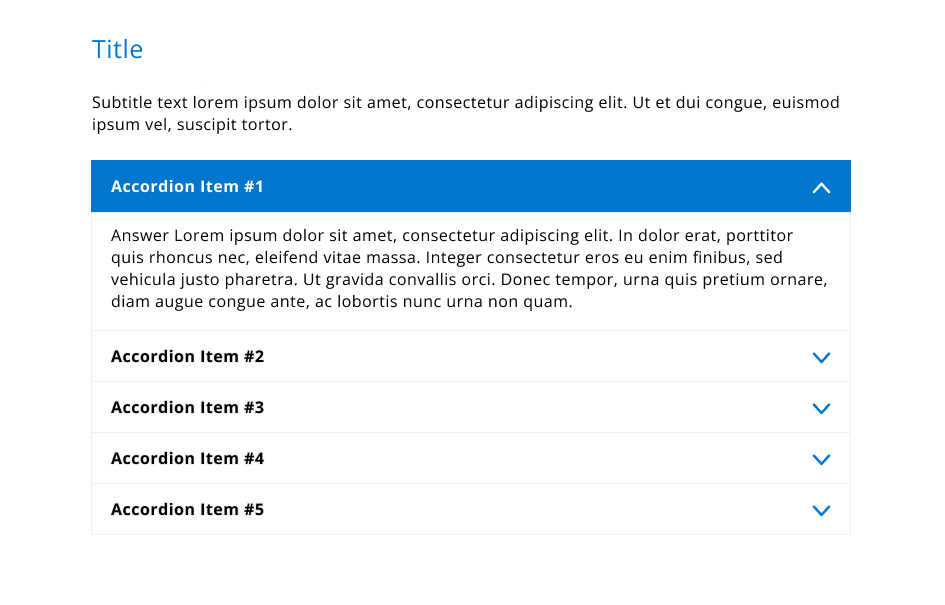
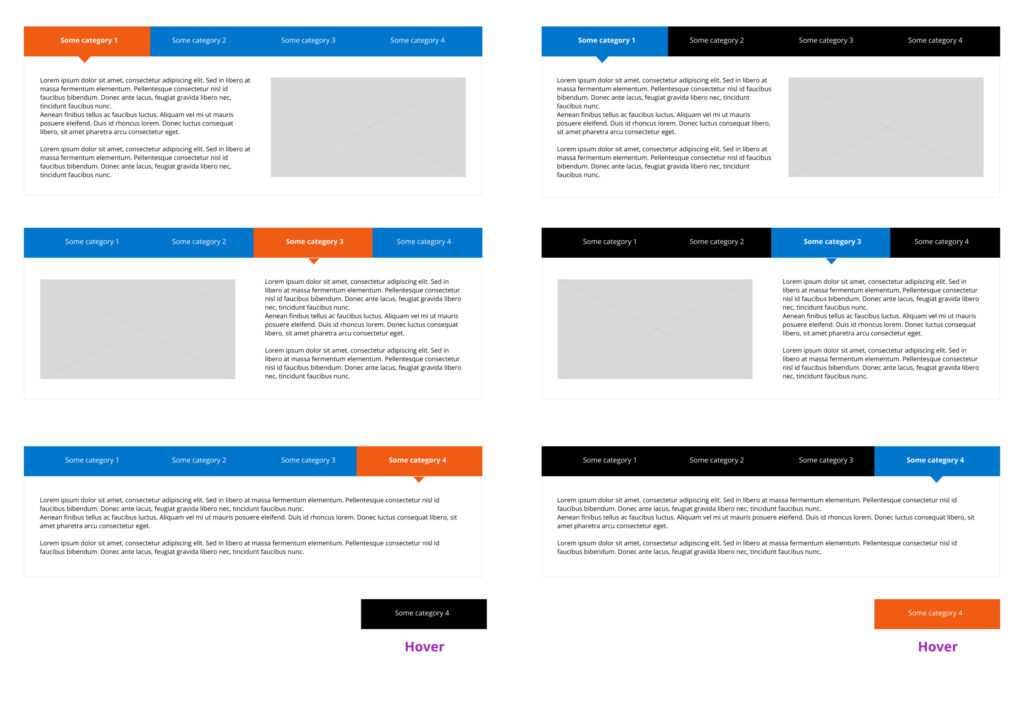
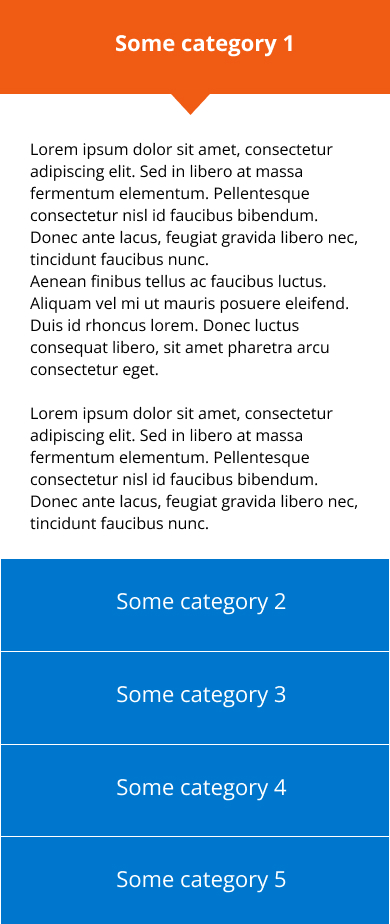
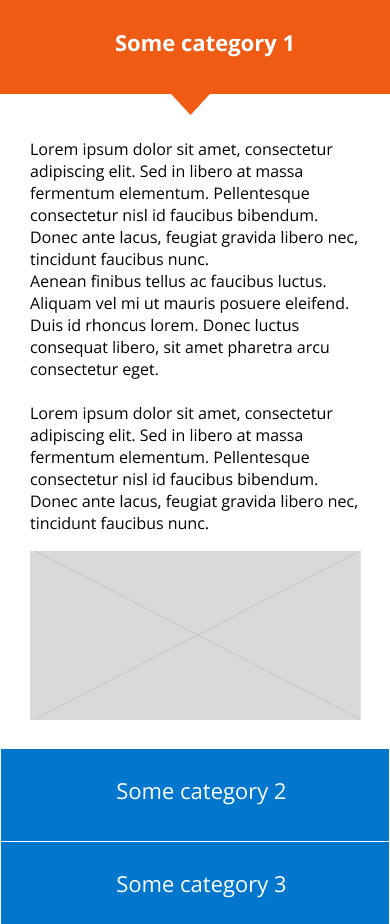
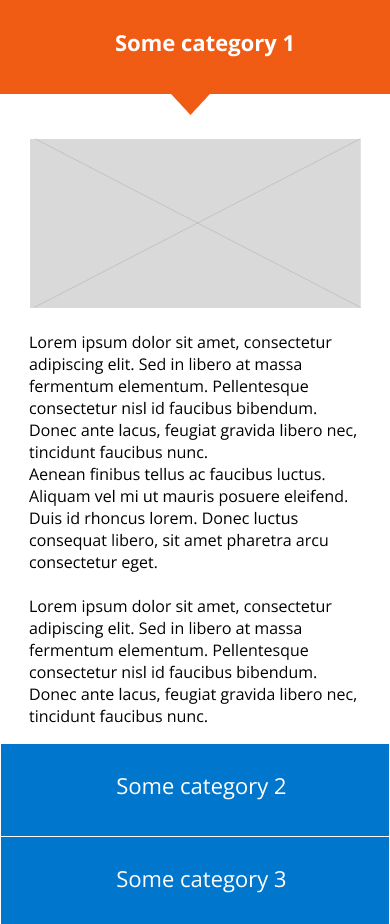
We collaborated on a list of interface elements needed for the design system. This included desktop and mobile versions of over 20 components; accordions, alerts, buttons, nav bars, floating menus, banners, video blocks, scrollspy, tabbed content, and more. We created wireframes to align on spacing, scale, and layout for each component.
Buttons
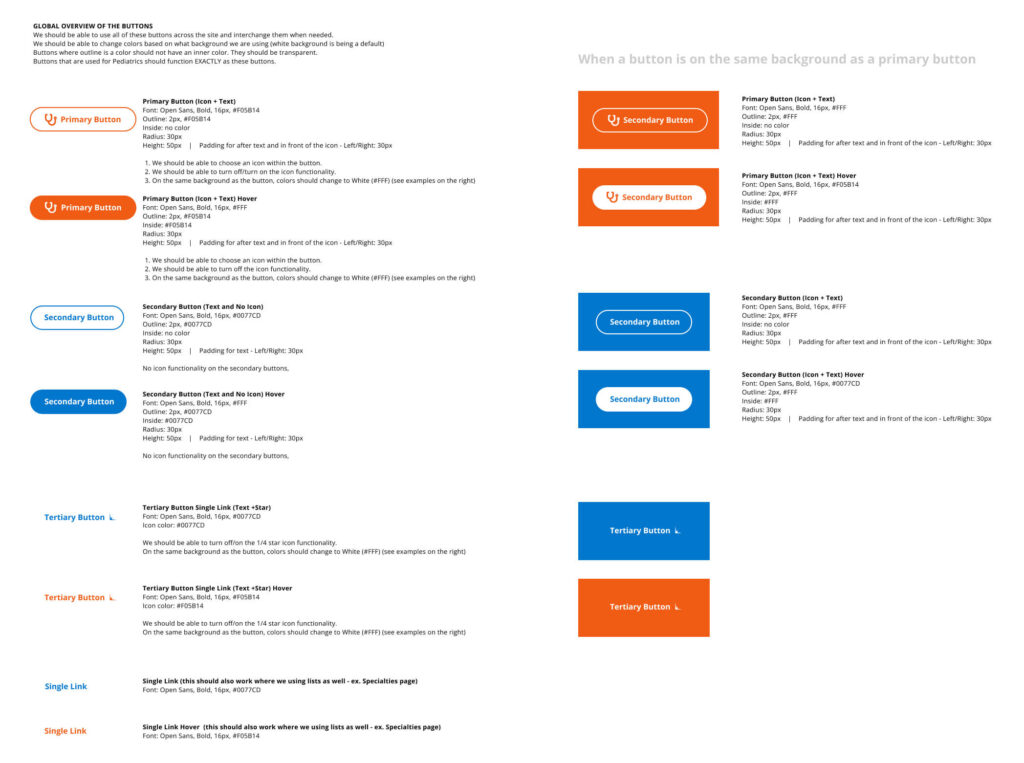
Floating navigation
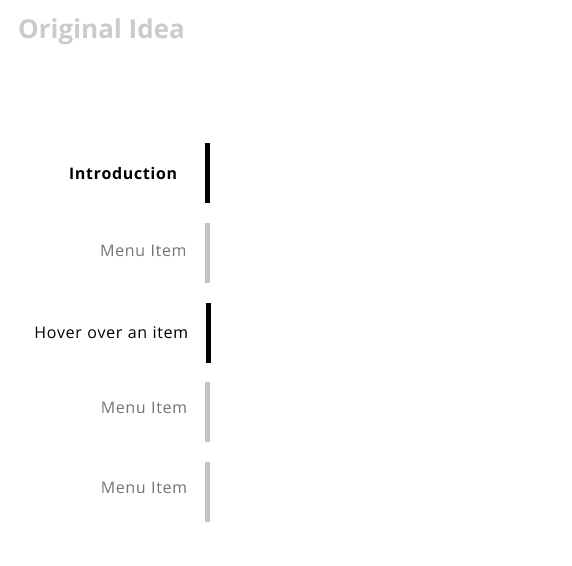
Alerts
Scrollspy
Prototyping & Testing
Once a wireframe was approved for a feature, we created a lofi prototype and conducted lean user testing (interviews with internal staff) due to legal constraints that prevented testing with actual patients.
If a usability issue was found, we made quick iterations and re-tested.
After approval, I wrote the technical documentation and walked through design specs with the engineering vendor in weekly meetings. I explained all specifications including fonts, spacing, color use, and interaction behavior, and answered any questions the engineers had.
When the first iteration of a new element was ready, I conducted UAT (User Acceptance Testing) to ensure it met our expectations.
Image with text banner (image hidden on mobile)
Accordion
Tabs
Results
Once a wireframe was approved for a feature, we created a lofi prototype and conducted lean user testing (interviews with internal staff) due to legal constraints that prevented testing with actual patients.
If a usability issue was found, we made quick iterations and re-tested.
After approval, I wrote the technical documentation and walked through design specs with the engineering vendor in weekly meetings. I explained all specifications including fonts, spacing, color use, and interaction behavior, and answered any questions the engineers had.
When the first iteration of a new element was ready, I conducted UAT (User Acceptance Testing) to ensure it met our expectations.